

Haptix
Give your trackpad a little more feel.
Add haptics to the way you move, scroll and click on your Mac. Set it up how you like, straight from your menu bar.
users
MacOS
Get Haptix
Find your feel.
Movement. Scrolling. Clicks.
The Haptix film
Feel it in motion.
20 seconds. Sound on.
Small app. Plenty to play with.
Find what feels right.
Pick from 18 textures and three tap patterns. Tweak each interaction, try it instantly, and pause the whole lot whenever you like.
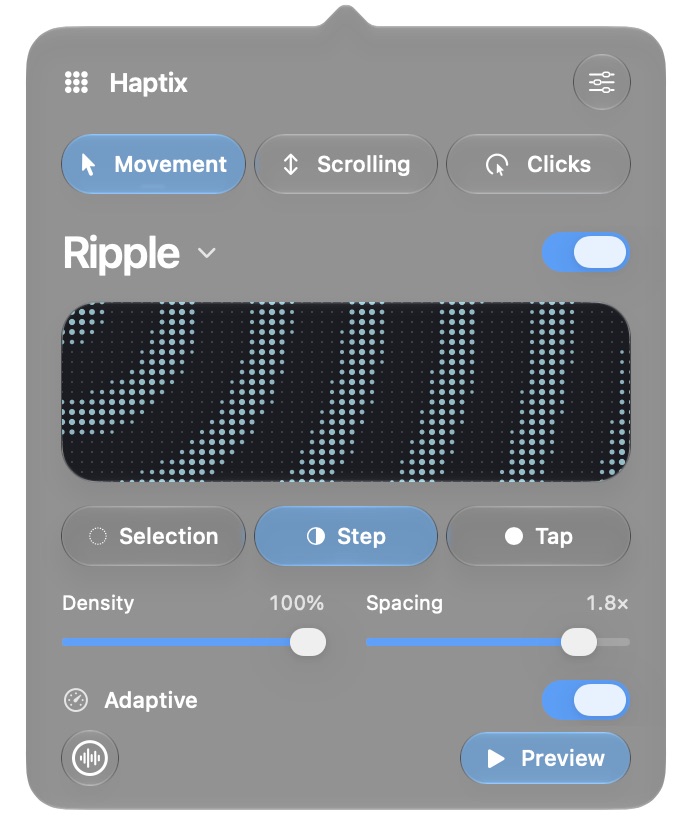
Move. Scroll. Click.
Give each one its own feel. All the controls are a click away in your menu bar.
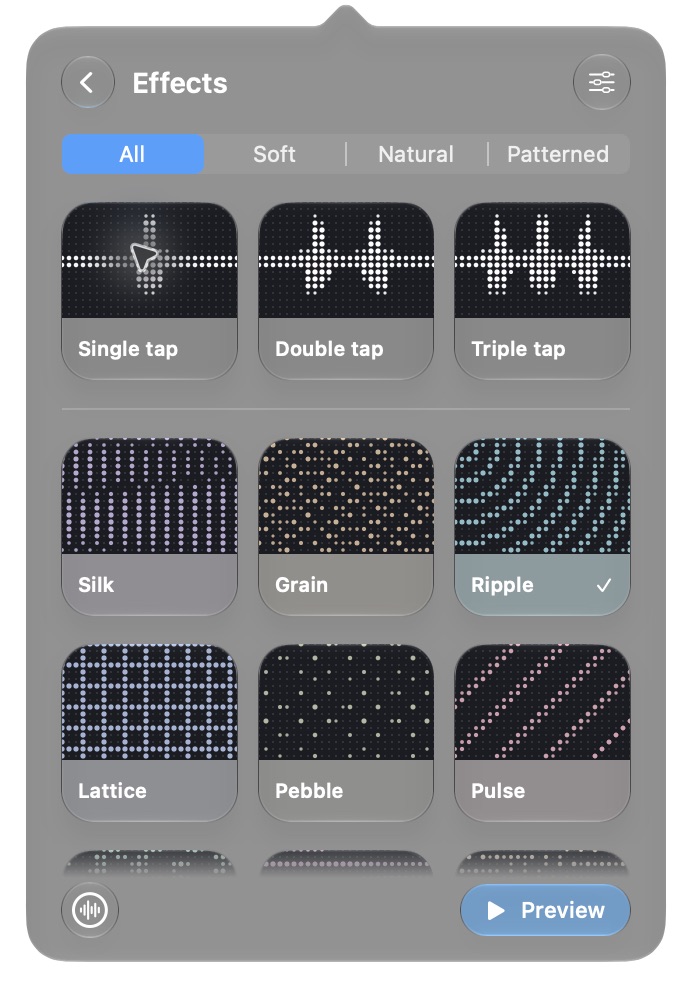
Try something different.
Choose a texture or keep it simple with a tap. Preview it before you settle on one.
Made for haptic trackpads.
You’ll need a trackpad that supports haptic feedback to feel the effects.
Offline by design.
Activate once with your license key. Your preferences stay on your Mac, with no background license checks or usage analytics.